


Do you have a Rustilė discount code or gift card? Great! In this article, we'll explain how to apply a discount to your order using a code.
Using a phone
Add the desired items to your cart and click "VIEW CART":
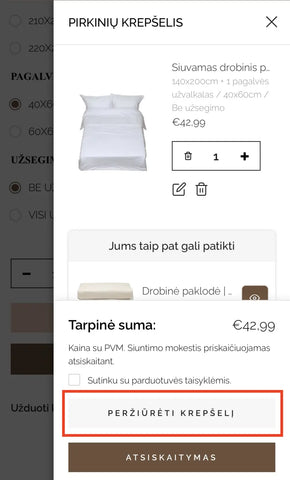
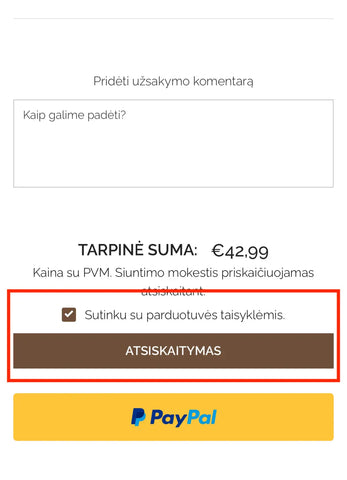
Check your cart and scroll down until you reach the checkout section. Agree to the store's terms (✓) and proceed to payment:
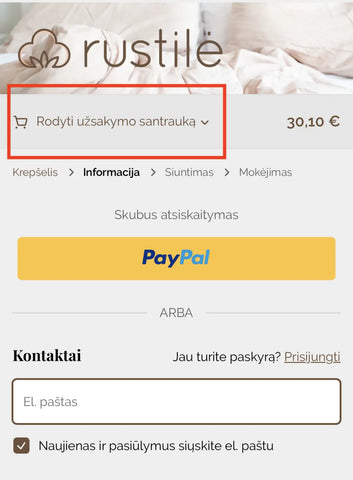
At the top of the newly opened page, click "Show order summary":
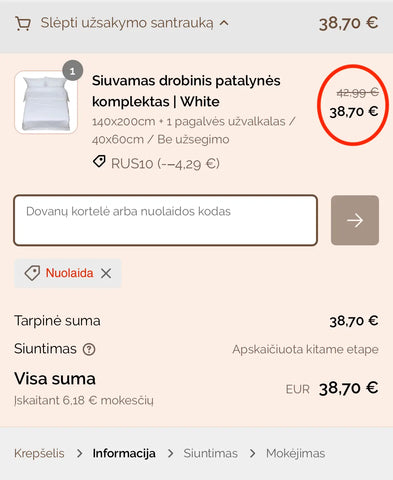
In the "Gift card or discount code" field, enter your code and click the arrow on the right:
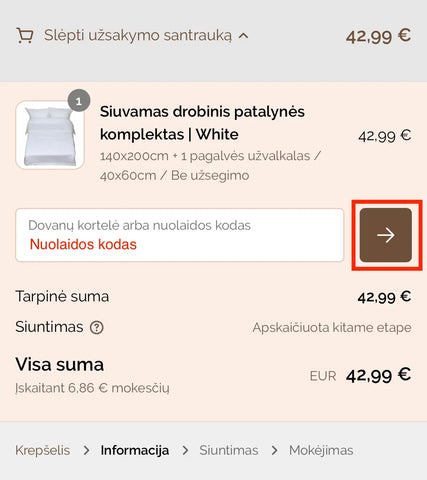
That's it! The discount has been applied!
-----
Using a computer
Add the desired items to your cart and click "VIEW CART":
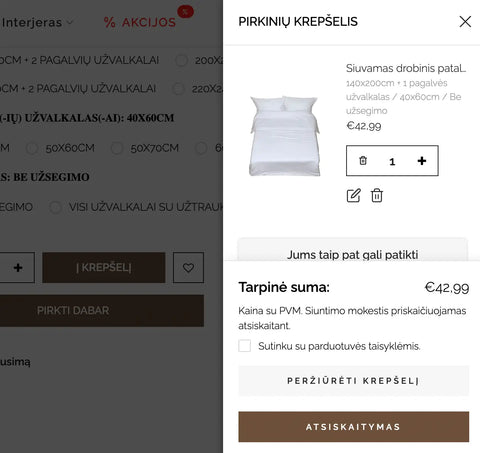
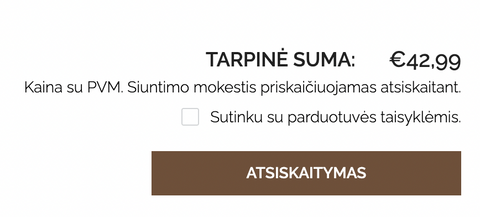
Check your cart and scroll down until you reach the checkout section. Agree to the store's terms (✓) and proceed to payment:
In the field on the right labeled "Gift card or discount code", enter your code and click "Apply":
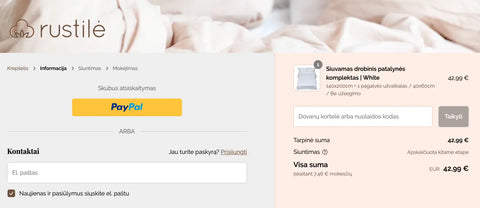
That's it, the discount code has been applied!
We wish you a smooth shopping experience and share a 10% discount code you can try: RUS10 :)
Leave a comment